Blog

  • Maximize Team Output With AI Workflow Automation

    `

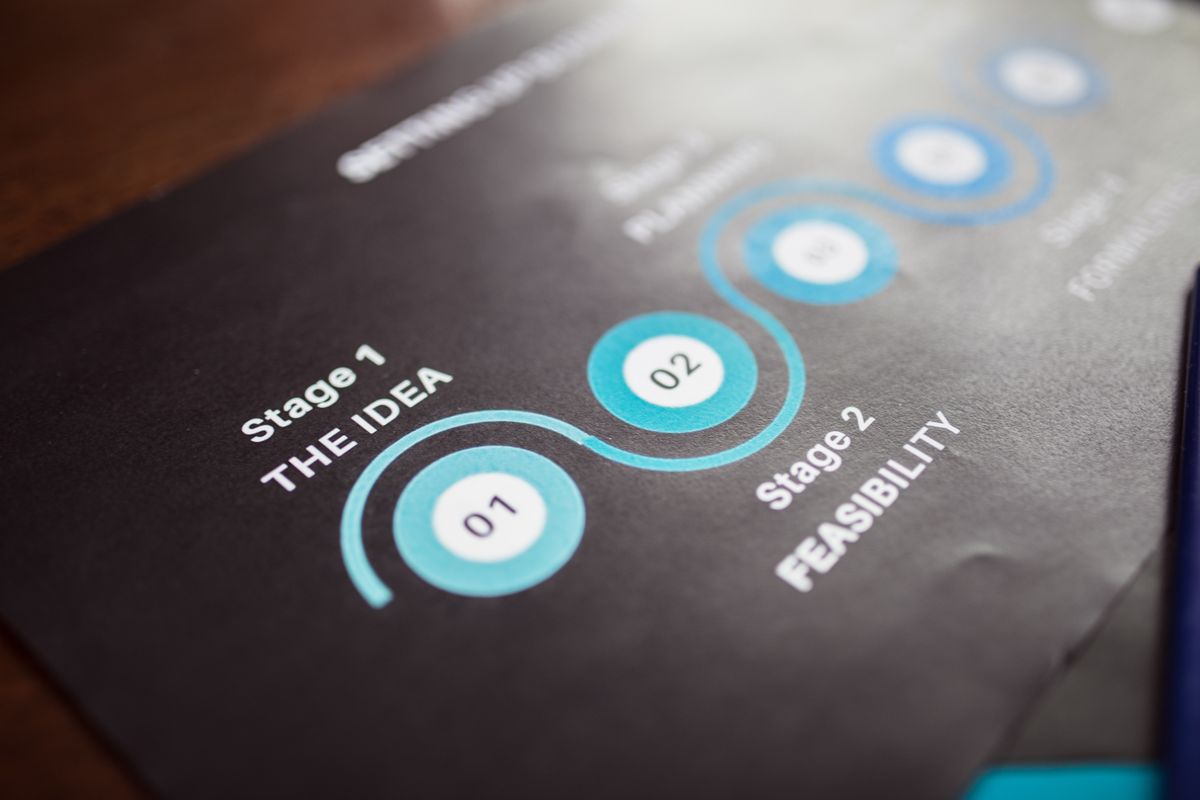
    Close-up image of a business strategy chart on paper showing stages and feasibility.
    Photo via Pexels

    `

    It’s 9:14 PM on a Tuesday. You’re sitting at your desk reviewing a set of deliverables your team was supposed to finish by end of day. They didn’t.

    Not because they’re lazy — they’re not.
    Not because they don’t care — they do.

    They just spent most of their day drowning in the same operational quicksand that’s been swallowing your firm’s capacity for months.

    I’ve been here. I’ve run the teams. I’ve been the guy at 9 PM wondering why six smart people can’t seem to get ahead.

    Here’s what I eventually figured out: output problems and burnout aren’t opposites you try to balance on a scale. They’re symptoms of the same root cause. The work itself is structured badly. The workflows are broken. The system is fighting the people instead of carrying them.

    The fix isn’t motivational speeches. It isn’t hiring another body. It isn’t “hustle harder.”

    The fix is AI workflow automation — and not in the way most people think about it. Not as a buzzword. Not as a replacement for your team. As a structural repair for the invisible friction that’s grinding everyone down.

    If you’re running a firm or agency with 1–15 people, this matters. You need more output from the team you already have. And you’re done pretending that working harder is going to get you there.

    For small service businesses, agencies, and regulated firms, the path forward is usually the same:

    • Reduce operational drag
    • Automate repeatable work
    • Protect human judgment
    • Create sustainable throughput

    That’s where AI workflow automation for small professional firms becomes more than a trend. It becomes a practical operating system for getting more done without burning out your best people.

    Three colleagues working together at laptops in a modern office setting, viewed from above.
    Photo via Pexels
    Back view of a motorcyclist speeding on a race track, showcasing skill and speed.
    Photo via Pexels
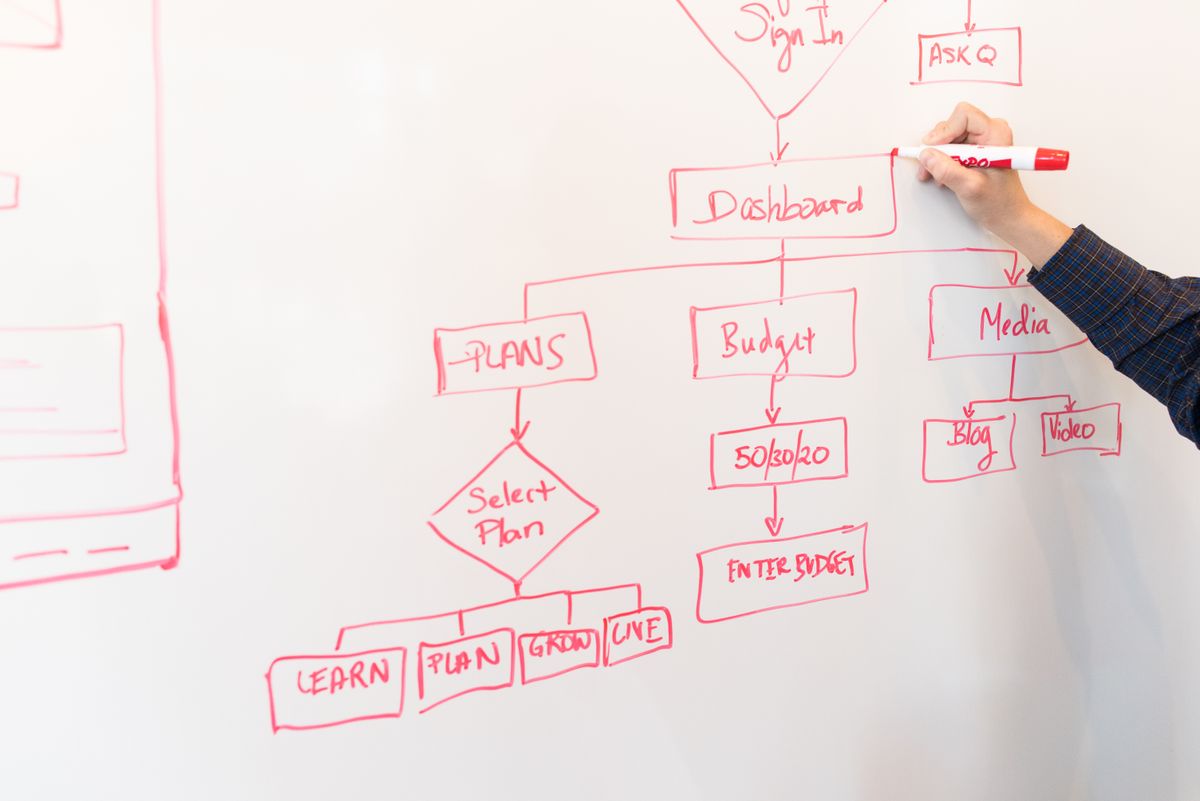
    A person creates a flowchart diagram with red pen on a whiteboard, detailing plans and budgeting.
    Photo via Pexels
    A diverse group of coworkers collaborating around a table in a modern office environment.
    Photo via Pexels
    Close-up of hands analyzing colorful graphs at a business meeting, indicating strategic planning.
    Photo via Pexels
  • Double Agency Output With Headless CMS Workflows

    `

    Two professionals brainstorming digital marketing ideas.
    Photo via Pexels

    `

    Headless content management systems sound technical. Fine. But the real story isn’t technical at all.

    It’s operational.

    Everyone’s chasing AI productivity. Most teams are just creating different bottlenecks with extra steps.

    The difference wasn’t the writing.

    It was a single email their headless CMS started sending automatically.

    That’s the whole story. But the mechanics behind it — and why most agencies never build this — are worth understanding before you dismiss it as too technical, too expensive, or too complicated for your team.

    It isn’t any of those things.

    It’s a workflow problem. And workflow problems have workflow solutions.

    If you’re already exploring AI-powered operational systems, Clive Moore’s broader work around AI-powered productivity platforms and workflow infrastructure gives useful context for why this shift matters.

  • Build Your Brand Voice With AI Workflow Automation

    Two men in an office setting working together late at night on a project.
    Photo via Pexels

    AI workflow automation sounds simple when people talk about it in theory. In practice, most businesses experience something messier first: chaos.

    You sign up for a tool. It produces something. It’s fine. A little flat. Sounds like it could have come from anyone. You tweak the prompt, get something slightly better, and move on.

    Six months later, you’ve got ChatGPT for content, another tool for emails, something else your ops person set up, and none of them know who you are or how you sound.

    That’s not a technology problem. That’s an infrastructure problem.

    Here’s what’s actually going on:

    • You’re feeding AI blank-slate prompts with no context
    • Your output comes back sounding like polished corporate filler
    • You’re collecting tools instead of building a system
    • Nothing connects, nothing scales, and the promised efficiency never shows up

    This post addresses both sides of that problem. We’re going to walk through how to define your brand voice in a way AI can actually use, encode it so your output stays consistent at scale, and then build the AI workflow automation architecture around it.

    If you want a broader view of Clive Moore’s work in strategic brand systems and AI-enabled productivity, start with Clive Moore’s homepage.

  • Get More From Your Team With AI Workflow Automation

    `[HERO IMAGE]`

    It’s 11pm and your Slack just lit up. Your lead developer is asking a question about a client deliverable due tomorrow. Your project manager sent a status update three hours ago that nobody read. And somewhere in the back of your mind, you’re doing math — wondering if you can afford to hire one more person, or if that just creates one more person to manage.

    You need more output. Your people are already stretched. And the “just push harder” approach stopped working a long time ago.

    Here’s what most agency owners and bigger freelancers get wrong: the problem usually isn’t effort. It’s the amount of work that should never have been manual in the first place. That’s exactly where AI workflow automation becomes a serious timesaver and a real productivity lever.

    Every hour your developer spends formatting a report, summarizing a meeting, or chasing context in Slack is an hour of real, valuable work that doesn’t happen. The fix isn’t more pressure. It’s removing the friction.

    Let’s look at what that actually means in practice.

  • Agency Admin Automation: Reclaim 500+ Hours

    Overhead view of a stressed woman working at a desk with a laptop, phone, and notebooks.
    Photo via Pexels

    Nobody wants to talk about the administrative drain, but agency admin automation is exactly what more agency owners should be thinking about.

    Every conversation about agency growth circles around the same topics — client acquisition, pricing strategy, team structure, and service offerings. That’s where the energy goes. That’s what fills the conference panels and podcast episodes.

    Meanwhile, a quiet hemorrhage is happening in the background.

    The average SMB agency or multi-client freelancer loses more than 500 hours per year to administrative work that never shows up on an invoice. Not creative blocks. Not difficult clients. Not scope creep. Plain, repetitive, operational grind — the kind that fills your mornings before you’ve done a single thing that matters.

    That number isn’t a scare tactic. It’s what the math produces when you honestly track where the hours go across site maintenance, security monitoring, status updates, reporting, and coordination overhead at scale.

    This isn’t a time management problem. It’s a systems problem.

    And the good news is that it’s entirely solvable — through intentional agency admin automation that replaces manual labor with infrastructure. This post breaks down where those hours are actually going, why the problem persists, and exactly where automation pays off fastest.

    If you’re already thinking about how stronger systems improve delivery, positioning, and client trust, start with Clive Moore’s main site for a broader view of his digital and strategic thinking.

  • Get More From Your Team Without Burnout Using AI

    `

    Minimalist image of three crumpled paper balls on a white surface, symbolizing burnout.
    Photo via Pexels

    `

    Most advice about getting more from your team is just polite code for “make them work harder.” That’s not a strategy. That’s a countdown to turnover. The better answer is AI workflow automation — not as a buzzword, but as a practical way to remove wasted effort, reduce context-switching, and help your team do more meaningful work without burning out.

    I’ve run teams. I’ve built products. I’ve been the founder reviewing every deliverable at 11 PM because there was no system in place to catch problems earlier.

    And I can tell you from experience: the answer to “how do I get more from my people” is almost never “ask for more.”

    It’s “waste less.”

    The average small team — the 5-to-15-person agency, the lean dev shop, the operations crew holding everything together with duct tape and determination — loses somewhere between 30 and 40 percent of its week to repetitive, low-value work.

    Think about it:

    • Status updates nobody reads
    • Reports assembled by hand
    • The same internal questions answered for the fourth time this month
    • Manual review steps that turn founders and managers into bottlenecks

    That’s not a people problem. It’s a process problem.

    And the fix isn’t a motivational speech or another project management subscription. It’s AI workflow automation, applied thoughtfully, in the right places, with humans still making the decisions that matter.

    This post is about how to do that.

    No theory. No hype. Just the practical stuff that actually works for teams that don’t have time to experiment with things that don’t.

  • Why Your AI Stack Is Broken | LLM-Agnostic Platform

    `

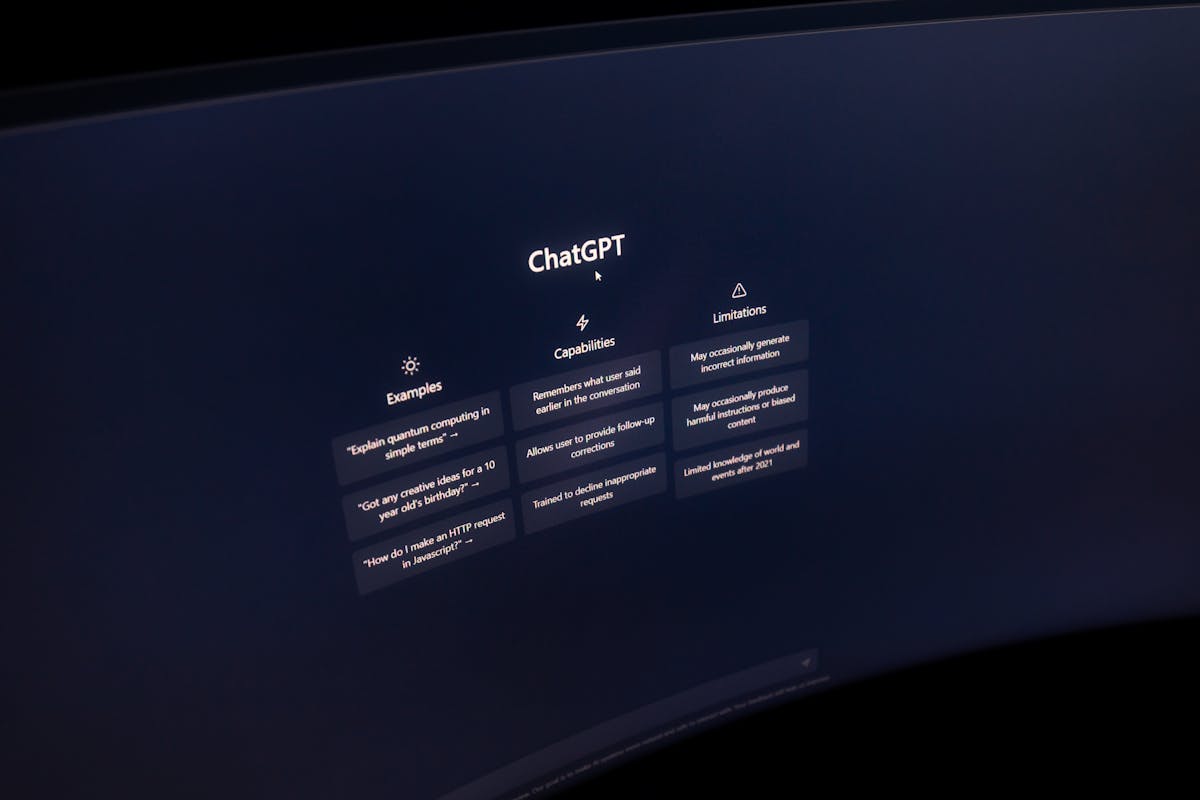
    Close-up of a computer screen displaying ChatGPT interface in a dark setting.
    Photo via Pexels

    `

    Here’s a question most enterprise IT leaders aren’t asking out loud: what if the AI tools you added to increase productivity are actually making it worse? That’s the hidden cost of a fragmented stack — and why an llm agnostic platform is quickly becoming the smarter architecture choice for enterprise IT.

    Not because the tools are bad.

    Because you have too many of them, none of them share context, and your people are spending more time toggling between platforms than doing the work those platforms were supposed to accelerate.

    The average enterprise knowledge worker switches between AI tools roughly 1,200 times a day. That’s not a workflow. That’s a treadmill. And it’s costing your organization north of four hours per person, per week — before you even factor in the cognitive recovery cost of each context switch.

    The fix isn’t a better AI tool. It’s a different kind of infrastructure: an LLM-agnostic platform that puts a unified, governed access layer between your people and the proliferating model ecosystem underneath them.

    That’s what this post is about — and why platforms like GPT Studio are increasingly relevant to CIOs trying to reduce AI sprawl without slowing innovation.

  • Get More from Your Team Without Burnout | Workilo

    Developer productivity burnout is not just an engineering problem anymore. For small marketing agencies and lean content teams, it shows up as missed deadlines, vague briefs, endless reviews, and a workday dominated by switching between tools instead of producing meaningful work.

    When agency owners and content leads spend most of the day on “work about work”—status updates, copy-pasting between platforms, chasing approvals, rewriting AI output, and re-explaining context—performance suffers. So does morale. And when pressure builds, even creative problems like writer’s block become operational problems.

    The good news is this: you do not need to squeeze harder to get more output. You need to reduce friction, preserve context, and build workflows that let skilled people stay in skilled work.

    The hidden reason smart teams still burn out

    Burnout often gets blamed on workload alone. But for agencies and content teams, the deeper problem is usually fragmentation.

    Your team may be using:

    • one tool for planning
    • another for research
    • another for AI drafting
    • another for design
    • another for approvals
    • another for publishing
    • and a few more for reporting and communication
    • On paper, that looks like a modern stack. In practice, it creates:

    • constant context switching
    • duplicated effort
    • unclear ownership
    • inconsistent outputs
    • slower turnaround times
    • more mental fatigue
    • This is how developer productivity burnout expands beyond developers and starts affecting strategists, writers, editors, designers, and account leads. Everyone becomes a coordinator instead of a creator.

      What “work about work” actually looks like in a 3–20 person team

      Small teams rarely say, “We have too many handoffs.” They say things like:

    • “Why are we still waiting on this brief?”
    • “Did anyone already research this?”
    • “Can you send me the latest version?”
    • “Which prompt did we use last time?”
    • “Why does this draft sound generic again?”
    • “Who owns final approval here?”
    • That is work about work.

      It shows up as invisible overhead:

    • rewriting instead of creating
    • chasing instead of deciding
    • searching instead of shipping
    • toggling instead of thinking
    • For many teams, this overhead quietly consumes the majority of the day.

      Why more pressure does not solve developer productivity burnout

      When output slows down, many leaders instinctively do one of three things:

    • Add more meetings
    • Add another tool
    • Push for faster turnaround
    • Unfortunately, each one can make the problem worse.

      More meetings reduce focus

      Meetings often feel productive because they create motion. But they also interrupt deep work and force people to reload context multiple times a day.

      More tools increase switching costs

      Every additional app introduces another place to check, update, search, and remember.

      More pressure increases shallow work

      When people feel rushed, they default to short-term completion over long-term quality. That leads to:

    • weaker briefs
    • lower-quality first drafts
    • more revisions
    • more team frustration
    • more burnout
    • According to research and industry reporting, burnout in software and knowledge work is strongly tied to high workload, inefficient processes, and poor workflow design, not just effort alone. For example, both InfoWorld and Computer Weekly point to process friction and unrealistic expectations as major contributors.

      The real cost of context switching

      Every time someone jumps from one tool, task, or channel to another, they lose more than time. They lose momentum.

      That cost compounds across a team:

    • a strategist loses thread on campaign positioning
    • a writer loses voice and structure
    • a designer loses creative continuity
    • a lead loses confidence in timelines
    • an owner loses visibility into what is actually blocking progress
    • This is where developer productivity burnout becomes a business issue.

      The symptoms are familiar:

    • people look busy but output feels slow
    • everyone is working, but no one feels caught up
    • AI is in the stack, but work still feels manual
    • drafts get produced quickly, but approvals still drag
    • teams are active all day, yet strategic work keeps slipping
    • Writer’s block is often a workflow problem, not a creativity problem

      Teams often treat writer’s block like a personal issue. But in agency and content environments, it is often a systems issue.

      A writer does not freeze because they suddenly forgot how to think. They freeze because:

    • the brief is unclear
    • the audience definition is vague
    • research is scattered
    • brand voice is trapped across old documents
    • examples live in multiple places
    • the AI draft is generic and unusable
    • approvals are likely to change the direction anyway
    • That is not a creativity gap. That is a context gap.

      When people have:

    • clear goals
    • centralized inputs
    • reusable workflows
    • accessible brand context
    • structured handoffs
    • …writer’s block becomes easier to break through.

      What high-performing teams do differently

      Teams that get more output without burning people out tend to share a few traits.

      1. They reduce tool fragmentation

      They do not chase every shiny new AI app. They simplify the path from idea to execution.

      2. They preserve context

      They stop forcing team members to restate the same information across tools and handoffs.

      3. They standardize repeatable work

      They turn common tasks into reusable workflows:

    • SEO research
    • content briefing
    • competitor analysis
    • repurposing
    • publishing preparation
    • reporting summaries
    • 4. They protect deep work

      They reduce unnecessary interruptions and make it easier for team members to stay in one mode long enough to produce quality work.

      5. They measure useful outcomes

      Instead of rewarding visible busyness, they look at:

    • cycle time
    • revision volume
    • publish consistency
    • time to first usable draft
    • time spent in review loops
    • percentage of day spent in skilled output
    • A better model: fewer tools, clearer workflows, stronger output

      If your team is overloaded, your best move is usually not hiring first and not automating everything at once.

      It is redesigning the workflow.

      A simple high-performing content workflow often looks like this:

    • Brief is created once
    • Research is gathered in one place
    • AI helps generate structure, not chaos
    • Drafting happens with shared context
    • Review happens with clear ownership
    • Publishing and repurposing are connected
    • Outputs move forward without manual re-entry
    • This is the difference between using AI as a novelty and using AI as an operating layer.

      That is also where platforms like Workilo become strategically useful. Instead of treating research, drafting, SEO, and asset production as disconnected tasks, Workilo is built around collaborative agent workflows that help teams move from input to deliverable with less copy-paste, less rework, and fewer context resets.

      If you want to understand how that structure works in practice, Workilo’s documentation covers agents, workflows, integrations, and setup in more detail.

      Practical example: the overloaded agency content lead

      Imagine a content lead at a 10-person agency managing four client accounts.

      Their day starts with:

    • checking Slack for client requests
    • opening Notion for content planning
    • moving into Google Docs for briefs
    • using ChatGPT for ideation
    • switching to another AI tool for rewriting
    • opening SEO software for keywords
    • hunting through shared folders for past examples
    • moving back into Slack for approvals
    • manually copying assets into publishing systems
    • By lunch, they have “worked” for hours but produced very little durable value.

      Now compare that with a more integrated workflow:

    • campaign context is stored once
    • research and brand guidance are attached to the workflow
    • AI agents support research, outlining, drafting, and asset generation collaboratively
    • outputs move into the right format without manual repackaging
    • the team reviews from a shared source of truth
    • The result is not just speed. It is less mental load.

      Practical example: when developer productivity burnout hits marketing teams

      A writer receives a topic.
      The strategist has keyword notes in one system.
      The account lead has client positioning in another.
      The previous campaign lives in another folder.
      A subject matter expert shared feedback in a Slack thread.
      The first AI draft sounds generic.
      Then everyone wonders why progress stalls.

      That is how developer productivity burnout translates into knowledge-work burnout:

    • too many systems
    • too much manual coordination
    • too little shared context
    • The more specialized the team, the more damaging this becomes.

      How to spot burnout risk before performance drops further

      You do not need to wait for people to say they are burned out.

      Look for these signals:

    • high revision volume on routine tasks
    • repeated questions about process or ownership
    • frequent “latest version?” requests
    • delays between draft and approval
    • AI outputs that require heavy cleanup every time
    • rising meeting volume with no increase in delivery
    • talented people spending more time coordinating than creating
    • visible exhaustion around simple recurring tasks
    • Burnout often starts as workflow drag before it becomes emotional disengagement.

      Five ways to get more from your team without burning them out

      1. Audit your actual workflow

      Map the real path from request to finished asset.

      List:

    • every tool involved
    • every handoff
    • every approval step
    • every place context gets lost
    • Most teams discover they are switching more than they realized.

      2. Consolidate where the work actually happens

      Do not just consolidate subscriptions. Consolidate the moments where work moves:

    • brief to draft
    • research to strategy
    • draft to review
    • review to publish
    • If you are evaluating options, start with a platform that supports end-to-end marketing workflows instead of adding yet another point solution. Workilo’s core platform page is a useful reference point for that kind of model: Workilo home.

      3. Turn recurring work into repeatable workflows

      If your team does it every week, it should not be reinvented every week.

      Examples:

    • SEO blog production
    • competitor teardown
    • social repurposing
    • presentation building
    • client reporting summaries
    • Workilo’s workflow model is especially relevant here because it is built for proven workflows for content creation, SEO research, competitive analysis, and social campaigns rather than one-off prompting.

      4. Give AI better context, not more responsibility

      AI is most useful when it is grounded in:

    • clear instructions
    • audience definitions
    • approved brand voice
    • relevant examples
    • shared source material
    • Bad context produces more cleanup.
      Good context reduces rework.

      5. Protect creative and strategic time

      Block time for:

    • writing
    • campaign planning
    • analysis
    • editing
    • problem solving
    • Not everything should be instantly interruptible. Burnout grows when every task becomes reactive.

      Where internal systems make the biggest difference

      For small teams, the biggest gains usually come from fixing these three areas:

      Research

      Stop scattering inputs across tabs, documents, and chats.

      Drafting

      Give writers and strategists a shared operating context so they are not starting from scratch each time.

      Delivery

      Make it easier to move finished work into slides, CMS platforms, or campaign assets without manual transformation.

      Workilo positions itself around exactly this handoff problem. According to its platform messaging, teams can create:

    • blog posts
    • social campaigns
    • email sequences
    • presentation decks
    • SEO content
    • competitive analysis
    • market research
    • case studies
    • …through specialized AI agents working together in one workflow environment. You can explore that product positioning here: Workilo digital workers.

      The strategic payoff of fixing burnout

      Reducing burnout is not just a culture win. It is a performance strategy.

      When teams spend less time on overhead, they gain:

    • better output quality
    • faster cycle times
    • stronger consistency
    • fewer revision rounds
    • higher confidence in delivery
    • more room for actual strategy
    • better retention of high-value talent

    That matters even more in small agencies, where one overloaded content lead or strategist can become the bottleneck for the entire client pipeline.

    Final thought: get more by removing friction, not adding pressure

    If your team is stuck in a cycle of developer productivity burnout, missed momentum, and recurring writer’s block, the answer is not squeezing harder. It is designing work that flows better.

    The teams that win are not the ones using the most tools. They are the ones with the clearest workflows, the fewest unnecessary handoffs, and the strongest shared context.

    If your agency or content team is spending too much time on “work about work,” now is the right time to rethink how work moves from idea to output.

    And if you want a practical example of how collaborative AI workflows can reduce fragmentation, preserve context, and help teams ship more without more burnout, take a closer look at Workilo and its workflow documentation.

    The goal is simple: more skilled output, less coordination overhead, and less developer productivity burnout across the people doing the real work.

  • AI Workflow Automation for SMB Teams | Workilo

    How AI Workflow Automation Helps Small Business Teams Work Faster Without Burning Out

    Blog image 1
    Photo via Pexels

    By Workilo | AI Workflow Automation for Growing Teams

    It’s 9:15 a.m. Your marketing manager has already opened six browser tabs.

    ChatGPT for the campaign brief. A project tool for task assignment. The CRM for client context. Slack for approval chasing. Google Docs for the actual draft. And a spreadsheet somewhere that holds the only version of the content calendar that anyone trusts.

    By 9:30, she’s explained the same campaign objective three times — to three different tools that have no idea the others exist.

    That’s not a productivity problem. That’s an infrastructure problem.

    And it’s costing your team more than you think. According to research published by Harvard Business Review, the average knowledge worker toggles between applications over 1,200 times per day — burning nearly four hours of productive time every single week. Researchers have a name for it: the toggle tax.

    And here’s what makes it worse: as AI tools multiply, the toggle tax is accelerating, not shrinking. Every new AI assistant you add to the stack is another context switch waiting to happen.

    AI workflow automation fixes this at the infrastructure level. Not with another tool. With a fundamentally different approach to how work gets done.

    This guide breaks down what AI workflow automation actually means for small business teams, where it delivers the most immediate ROI, and how to start without overcomplicating it.

    If your team is already feeling the weight of fragmented tools, it’s worth seeing how Workilo’s AI workflow platform approaches connected execution differently.

  • Get More From Your Team With AI Workflow Automation

    How to Get the Most Out of Your Team With AI Workflow Automation — Without Burning Them Out

    The burnout isn’t coming from the hard work.

    It’s coming from the wrong work.

    Your developers are good at what they do. Your designers are talented. Your account managers know the clients inside and out. And your best freelancers? They’re running lean, sharp, and fast. Nobody on your team is underperforming.

    But somewhere between the talent you hired and the output you need, something gets swallowed:

    • Status updates
    • Report formatting
    • Manual handoffs
    • Intake forms
    • Asset repurposing across five formats
    • Repetitive admin that quietly eats the day

    This is where AI workflow automation matters.

    Not as a gimmick. Not as a chatbot bolted onto an old process. And not as a way to replace your team. The real value is simpler than that: it removes the work that was never the best use of your people in the first place.

    For SMB agency owners, mid-market teams, and bigger freelancers, that distinction matters. Growth pressure is real. Margins are tight. Hiring is expensive. And the actual constraint usually isn’t talent — it’s workflow design.

    If your team is spending too much time on coordination, admin, and repeatable execution, then the problem isn’t effort. It’s infrastructure.